
Building a gaming PC can be an exhilarating yet daunting task, especially for those new to the world of custom computers. With the right knowledge and a bit of planning, however, anyone can assemble a powerful machine that meets their gaming needs. In this article, we will explore the essential components, considerations, and tips for creating your ultimate gaming PC.
Understanding the Core Components
The foundation of any gaming PC lies in its core components, which include the CPU, GPU, RAM, motherboard, storage, and power supply. Each part plays a critical role in the overall performance of the system. The CPU, often referred to as the brain of the computer, processes instructions and runs applications. For gaming, a multi-core processor is typically recommended, as it can handle multiple tasks simultaneously.
The GPU, or graphics processing unit, is arguably the most important component for gamers. It renders images and video, making it crucial for delivering a smooth gaming experience. High-end GPUs can significantly enhance visual quality and frame rates, allowing gamers to enjoy their favorite titles in stunning detail.
Next, RAM (Random Access Memory) plays a vital role in the performance of a gaming PC. More RAM allows for better multitasking and smoother gameplay, especially when running resource-intensive applications or games. Generally, 16GB of RAM is considered the sweet spot for gaming, although 32GB may be beneficial for more demanding tasks.
Choosing the Right Components
When selecting components for your gaming PC, it’s essential to consider compatibility, budget, and performance needs. Websites and tools like gaming PC builder can help you ensure that all parts work together seamlessly. Start by choosing a CPU and GPU that meet your gaming requirements, and then build around them.
Motherboards come in various sizes and features, so selecting one that fits your chosen CPU and provides the necessary connectivity options is crucial. Additionally, ensure that your power supply can handle the total wattage of your components, as underpowered systems can lead to instability.
Storage options have also evolved, with SSDs (Solid State Drives) becoming increasingly popular for their speed. A combination of an SSD for the operating system and a larger HDD (Hard Disk Drive) for games and files can offer the best of both worlds.
Cooling Solutions and Case Selection
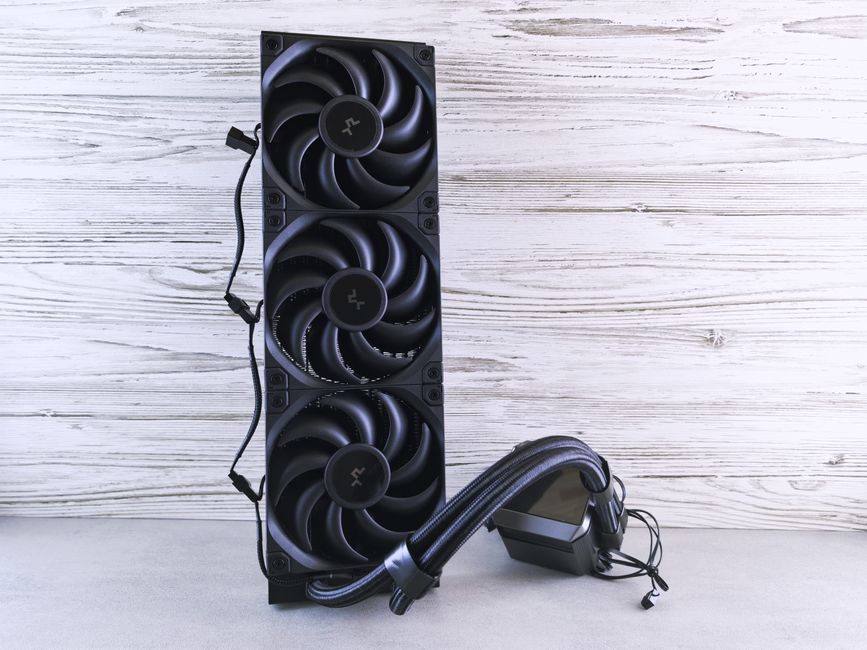
Building a gaming PC is not just about performance; it’s also essential to keep it cool. Overheating can lead to hardware damage and reduced performance. Investing in high-quality cooling solutions, such as air or liquid coolers, can help maintain optimal temperatures.
The case you select also plays a significant role in airflow and cooling. Look for cases with good ventilation, adequate space for your components, and support for additional cooling fans if necessary. Stylish designs can also enhance the aesthetic appeal of your build.
Assembly Process: Step by Step
After gathering all your components, it’s time to assemble your gaming PC. Begin by installing the CPU and RAM onto the motherboard outside of the case. Next, secure the motherboard in the case, followed by the power supply and storage drives.
Once the core components are in place, you can install the GPU and connect all necessary cables. Ensure that everything is securely fastened and that cable management is tidy to promote airflow. Finally, close up the case and connect your peripherals.
Before powering on, double-check all connections and ensure that everything is properly seated. Once you’re confident, turn on your system, and enter the BIOS to configure settings and ensure hardware recognition.
Software Installation and Optimization
With your gaming PC built, the next step is installing the operating system and drivers. Windows is the most popular choice among gamers, but ensure to install the latest drivers for your GPU and other components to maximize performance.
After the OS is installed, consider configuring software for performance optimization, such as game launchers, monitoring tools, and overclocking software if you’re comfortable with that. Regularly updating your drivers and performing system maintenance will keep your gaming PC running smoothly.
Conclusion
Building a gaming PC can be a rewarding experience that offers a better understanding of computer hardware and performance. By carefully selecting components, ensuring compatibility, and following the assembly process, anyone can create a powerful machine tailored to their gaming needs. With the right resources and a bit of patience, your ultimate gaming PC is just a build away!